
Which android games are easy for beginners?
Starting mobile gaming can be an enjoyable experience, especially for people who have little or no previous experience with video games. Android devices offer thousands of games across different categories, including puzzles, racing, adventure, simulation, and casual entertainment. However, beginners may find it difficult to choose a game when some titles have complicated controls, challenging missions, or advanced gameplay systems. Choosing simple and enjoyable games makes learning easier and helps new players develop confidence.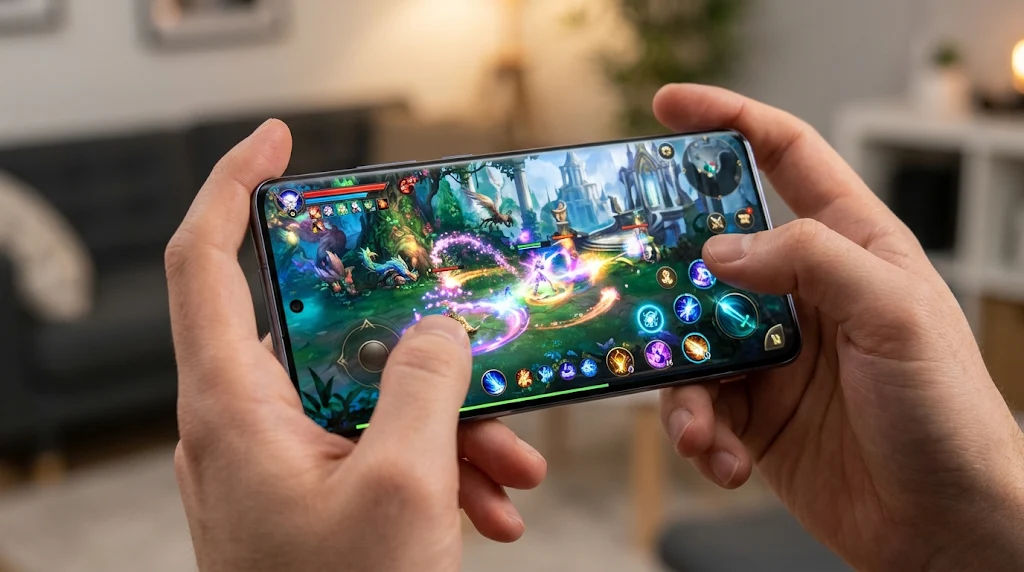
The best beginner-friendly games usually feature clear instructions, straightforward controls, manageable challenges, and entertaining gameplay. Players should be able to understand the basic rules without spending hours learning complicated mechanics. A suitable starting point also depends on personal interests, device performance, and the amount of time someone wants to spend playing.
Finding the right Android game is not simply about choosing the most popular title. It is about discovering an experience that feels comfortable, entertaining, and easy to understand. Whether someone enjoys solving puzzles, exploring colorful environments, managing virtual spaces, or completing short challenges, Android offers plenty of accessible options.
What Makes an Android Game Easy for Beginners?
A beginner-friendly Android game introduces its features gradually. Instead of presenting players with complicated instructions immediately, it explains the basic controls and allows them to learn through simple activities.
Several characteristics make a game suitable for newcomers.
Simple and Responsive Controls
Controls are among the most important features of beginner-friendly games. New players may struggle with complicated button combinations or multiple actions happening simultaneously.
Games that use tapping, swiping, dragging, or simple directional movements are generally easier to understand. These controls allow players to concentrate on the activity instead of worrying about which buttons to press.
For example, a puzzle game might require players to move objects by dragging them across the screen. A casual arcade game might only require tapping to complete an action.
Clear Instructions and Tutorials
Good tutorials explain OPEN88 a game works without overwhelming new players. They introduce important features one at a time and provide opportunities to practice.
Beginners should look for games that explain their objectives clearly. Helpful instructions make it easier to understand missions, collect rewards, and progress through different stages.
Gradually Increasing Difficulty
A suitable beginner game should not become extremely difficult immediately. Gradual progression gives players enough time to understand the mechanics before introducing more challenging activities.
This approach also makes gaming more enjoyable because players can recognize their progress.
Comfortable Gameplay Sessions
Some people prefer games that can be enjoyed for a few minutes at a time. Others like longer sessions with additional activities.
Beginner-friendly titles often provide flexible gameplay, allowing users to pause, save progress, and return whenever convenient.
Best Types of Android Games for Beginners
Android gaming includes many categories, and each offers different experiences. Understanding these categories can help newcomers select games that match their interests.
Casual Games
Casual games are excellent starting points because they generally feature straightforward objectives and uncomplicated controls.
Most casual titles focus on completing short activities, collecting items, matching objects, or achieving simple goals. Players do not need extensive gaming experience to understand the basic mechanics.
These games are particularly useful for people who want entertainment without learning complicated systems.
Puzzle Games
Puzzle games encourage logical thinking, observation, and problem-solving. They usually introduce one challenge at a time, making them suitable for beginners.
Popular examples include:
-
Candy Crush Saga: A colorful matching game where players combine similar candies to complete objectives.
-
2048: A number-based puzzle that challenges players to combine matching tiles.
-
Sudoku: A number puzzle that encourages logical reasoning and careful observation.
-
Flow Free: A puzzle game involving connecting matching colored points without crossing paths.
These games offer different levels of difficulty, allowing newcomers to begin with easier challenges.
Simulation Games
Simulation games recreate everyday activities or imaginary environments. They can involve farming, building, cooking, decorating, or managing virtual communities.
Their relaxed gameplay makes many simulation titles suitable for people who prefer exploring activities at their own pace.
Stardew Valley, for example, introduces farming, fishing, crafting, and relationships within a larger simulation experience. Although it has several systems to learn, players can discover them gradually.
Endless Runner Games
Endless runner games involve controlling a character as they move through an environment while avoiding obstacles and collecting items.
These games often use simple swipe or tap controls.
Examples include Subway Surfers and Temple Run 2. Both provide recognizable gameplay objectives, although their speed and obstacle patterns may become challenging as players progress.
They are useful for newcomers interested in quick arcade-style entertainment.
Simple Racing Games
Racing games allow beginners to experience vehicle-based gameplay without necessarily requiring advanced driving knowledge.
Some Android racing titles include automatic acceleration, simple steering, and optional assistance features.
Beach Buggy Racing is an example of an accessible arcade racing experience. Its colorful environments and straightforward racing objectives make it approachable for casual players.
Popular Android Games Beginners Can Explore
Several Android games are worth considering when looking for accessible entertainment. Their suitability depends on individual preferences and the device being used.
1. Candy Crush Saga
Candy Crush Saga is a familiar example of an easy-to-understand puzzle game.
Its main objective involves matching candies of the same color to complete specific level requirements. Players move through a board by swapping neighboring pieces.
The basic concept is simple, so beginners can understand the gameplay quickly.
As players advance, different obstacles and objectives introduce additional challenges. This gradual development makes it possible to learn the mechanics without needing previous gaming experience.
2. Subway Surfers
Subway Surfers is an endless runner that uses simple swipe-based controls.
Players guide a character through railway tracks, avoiding obstacles and collecting coins. Swiping in different directions changes movement, making the basic controls relatively easy to learn.
The colorful graphics and short gameplay sessions make it appealing to casual players.
Although the game becomes faster and more challenging over time, beginners can improve through practice.
3. Hill Climb Racing
Hill Climb Racing is a physics-based driving game that focuses on controlling vehicles across uneven landscapes.
Players generally use straightforward acceleration and braking controls.
The challenge involves balancing the vehicle, managing movement, and collecting coins during each run.
Beginners can understand the basic objective quickly. However, different vehicles and upgrades introduce additional gameplay choices as progress continues.
4. Fruit Ninja
Fruit Ninja offers a simple arcade experience based on slicing fruit by swiping across the screen.
The concept is immediately understandable, making it an accessible choice for newcomers.
Different modes provide opportunities to practice reaction speed and improve coordination.
Because its basic controls are uncomplicated, players can begin enjoying the game without completing a lengthy tutorial.
5. Angry Birds 2
Angry Birds 2 is a physics-based puzzle game in which players launch birds toward structures to complete different objectives.
The main controls are straightforward, but completing later levels requires more planning.
Beginners can learn how different birds behave and experiment with different approaches.
The combination of colorful environments and simple launching mechanics makes the game approachable.
6. My Talking Tom
My Talking Tom provides a virtual pet experience in which players interact with a cartoon character.
Activities include feeding, playing, dressing up, and maintaining the character's virtual environment.
The controls are simple, and the activities are generally easy to understand.
It can be an entertaining introduction to simulation-style mobile games.
7. 2048
2048 is a number-based puzzle game with a relatively simple objective.
Players slide numbered tiles across a grid, combining matching numbers to create larger values.
Although the rules are easy to learn, reaching higher numbers requires planning and logical thinking.
It is an excellent choice for beginners who enjoy quiet, thoughtful gameplay.
8. Flow Free
Flow Free is a puzzle game that involves connecting matching colored points across a grid.
Players must create paths without allowing them to overlap.
The early stages introduce the basic concept, while later puzzles require more careful planning.
Its simple presentation makes it suitable for people who enjoy solving problems at their own pace.
How to Choose the Right Android Game as a Beginner
Selecting a suitable game becomes easier when players understand their interests and device requirements.
Consider Your Personal Interests
The first step is identifying what type of entertainment you enjoy.
Someone who likes solving problems may prefer Sudoku or 2048. A person interested in movement and quick reactions might enjoy Subway Surfers or Fruit Ninja.
Players who enjoy creative activities can explore simulation and building games.
Choosing something that matches personal interests makes learning more enjoyable.
Check the Game's Difficulty
Before installing a game, review its description and available gameplay information.
Some games are designed specifically for casual players, while others include competitive systems and complicated mechanics.
Beginners should look for titles that offer tutorials, adjustable difficulty, and gradual progression.
Consider Device Compatibility
Not every Android game works equally well on every smartphone or tablet.
Older devices may have limited memory, slower processors, or outdated operating systems.
Checking the minimum system requirements can help prevent installation problems.
Lightweight games are often a practical starting point for people using entry-level Android devices.
Understand Storage Requirements
Games vary considerably in their storage requirements.
Some simple puzzle games occupy relatively little space, while larger simulation and adventure titles may require additional downloads.
Players should check available storage before installing new applications.
Keeping enough free space also helps maintain normal device performance.
Review Permissions and Privacy
Mobile games sometimes request access to device features or personal information.
Players should examine permission requests carefully and consider whether each permission is necessary for the game's basic functions.
It is also sensible to review the developer's privacy information and avoid applications from unfamiliar or suspicious sources.
Are Offline Android Games Better for Beginners?
Offline games can be particularly convenient for newcomers because they do not always require an internet connection.
They allow players to enjoy certain activities while traveling, waiting, or spending time in places with limited connectivity.
However, not every Android game offers complete offline functionality.
Some titles require an internet connection for account access, advertisements, cloud saving, multiplayer features, or additional content.
Benefits of Offline Games
Offline gaming offers several advantages.
First, players do not need to depend on network availability. This makes it easier to enjoy supported games in different locations.
Second, offline gameplay can reduce mobile data consumption.
Third, many single-player games allow people to learn without interacting with other players.
Puzzle games, selected arcade titles, and some simulation experiences can be good options.
When Online Games Are Worth Exploring
Online games introduce additional features such as multiplayer activities, shared events, and social interaction.
However, beginners should understand the basic controls before moving into competitive environments.
It is also important to use privacy settings carefully and avoid sharing personal information with strangers.
Tips for Learning Android Games Quickly
Learning a new game does not require advanced gaming skills. A few practical habits can make the experience more comfortable.
Start With the Tutorial
Tutorials explain the basic mechanics and important controls.
Even if the game looks simple, following its introductory instructions can prevent unnecessary confusion.
Players should take enough time to understand the objective before moving into more advanced stages.
Practice One Feature at a Time
Trying to understand every feature immediately can make a game feel complicated.
Instead, focus on one activity before exploring additional mechanics.
For example, someone learning a racing game can begin by understanding steering and braking before experimenting with vehicle upgrades.
Adjust Available Settings
Many Android games include settings for sound, graphics, controls, and difficulty.
Changing these options can make gameplay more comfortable.
Players using smaller screens may prefer simpler control layouts, while people using older devices may benefit from lower graphics settings.
Take Breaks
Gaming should remain an enjoyable activity rather than an obligation.
Taking regular breaks helps players maintain a healthy balance between screen time, schoolwork, physical activity, and other responsibilities.
There is no need to rush through levels or compete with other players.
Avoid Spending Money Unnecessarily
Some mobile games offer optional purchases, subscriptions, or virtual items.
Beginners should understand which features are free and which require payment.
It is sensible to avoid spending money simply to progress faster. Any purchases should be discussed with a parent or guardian where appropriate.
Common Mistakes Beginners Should Avoid
New players sometimes make avoidable mistakes when exploring Android games.
Understanding these issues can make the experience smoother.
Installing Too Many Games
Downloading numerous games at once can consume storage and make it difficult to decide which ones are enjoyable.
It is better to explore a small number of titles and identify personal preferences.
Ignoring Game Instructions
Skipping tutorials may cause confusion later.
Even simple games sometimes introduce special objectives, additional controls, or unique rules.
Reading instructions can save time and improve understanding.
Choosing Games Only Because They Are Popular
Popularity does not automatically mean a game is suitable for everyone.
A competitive multiplayer title may be enjoyable for experienced players but confusing for someone who has never played mobile games.
Personal interests and comfort should matter more than popularity.
Ignoring Age Ratings
Games can contain advertising, social features, in-app purchases, or content that may not be appropriate for every age group.
Checking age ratings and reviewing parental controls can help families make informed decisions.
Expecting Immediate Progress
Some games require practice before players become comfortable with their controls and objectives.
Beginners should treat mistakes as part of the learning process instead of expecting perfect performance immediately.
Can Beginners Play Android Games on Tablets?
Yes. Many Android games work well on tablets, although the experience depends on the application's compatibility and the device's specifications.
Larger displays can make certain puzzle, simulation, and strategy games easier to navigate.
For example, number puzzles may provide more space between interactive elements. Simulation games can also benefit from a larger viewing area.
However, some games are designed primarily for smartphones and may not use tablet screens efficiently.
Players should check compatibility before installation.
What Features Should Beginners Look For?
When comparing different Android games, several features can help identify suitable options.
Easy navigation: Menus should be understandable, and important options should be easy to locate.
Helpful tutorials: Instructions should explain the main objectives clearly.
Flexible difficulty: Adjustable challenges allow players to progress comfortably.
Simple controls: Tapping, swiping, and dragging are generally easier to learn than complicated combinations.
Progress saving: Saving progress allows players to return without restarting completed activities.
Reasonable advertisements: Games should not interrupt every activity with excessive advertising.
Clear privacy information: Players should understand how applications collect and use information.
These features contribute to a more comfortable mobile gaming experience.
Conclusion
Finding Android games that are easy for beginners is mainly about choosing experiences with understandable controls, clear objectives, and manageable difficulty. New players do not need advanced skills or expensive devices to enjoy mobile entertainment. Many accessible games provide enjoyable activities while allowing players to learn at their own pace.
Puzzle titles such as Candy Crush Saga, 2048, and Flow Free are excellent options for people who enjoy logical challenges. Subway Surfers, Fruit Ninja, and Hill Climb Racing offer straightforward arcade experiences for players who prefer movement and quick activities. Meanwhile, My Talking Tom and Stardew Valley provide opportunities to explore simulation-style gameplay.
Before installing a game, beginners should consider their personal interests, smartphone specifications, storage availability, privacy settings, and age recommendations. Reading reviews and understanding the basic features can also help identify suitable options.
It is equally important to maintain a healthy balance between gaming and everyday responsibilities. Players should take breaks, avoid unnecessary purchases, and choose games that provide enjoyable entertainment without creating pressure.
Ultimately, the best Android game for a beginner is one that feels comfortable, interesting, and rewarding to play. Starting with simple titles makes it easier to understand mobile gaming, discover new interests, and gradually explore more advanced experiences when ready.